
Hi All, earlier, i have already Posted some facebook Like Box for a website/Blog. Today I am sharing an another unique Facebook Like Box which will show in the Right bottom section of a website. the widget when added to a blog or website, slightly move towards up when Visitor scrolls the page down. This unique widget looks as shown in below figure.
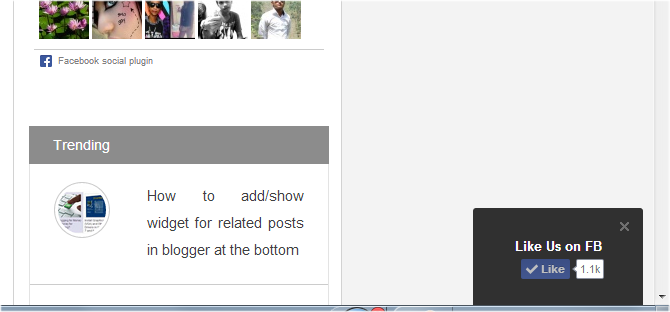 |
| Facebook Like Button in the right corner of a blog |
How to Add this Auto fb like box in Blogger :
- Go to Blogger dashboard
- Click on Layout and select add a Html/javascript as a widget type
- And paste the below code provided in it and then click on save.
How to Add this fb like box in a Website :
paste the below provided code before the tag </body> in any page of a website.
Know How to Add this fb like box in WordPress
<script type=”text/javascript” src=”//supportivehandsjs.googlecode.com/files/fbslide.js”></script>
<script type=”text/javascript”>function r(f){/in/.test(document.readyState)?setTimeout(‘r(‘+f+’)’,9):f()}; r(function(){new ConversionsBox(“Like%20Us%20on%20FB”,”https://facebook.com/a1bloggerseo”);});</script>
<script type=”text/javascript”>function r(f){/in/.test(document.readyState)?setTimeout(‘r(‘+f+’)’,9):f()}; r(function(){new ConversionsBox(“Like%20Us%20on%20FB”,”https://facebook.com/a1bloggerseo”);});</script>
Donot forget to change a1bloggerseo with your own facebook username. If you are facing any issue with the widget, Kindly let me know in the comment section.
