Sanjay Choubey

  • Home
  • Services
    • SEO
    • PPC
    • SMO
    • SEO Niche
      • Education SEO
      • Dental SEO
  • SEO Packages
  • About
  • Blog
  • Results
  • Reviews
  • Contact

Add / Set up facebook comment box in Blogger along with blogspot commenting system

October 2, 2013 By Sanjay Choubey Leave a Comment

Install facebook comment box in Blogger

Hello people, When i was new on Blogger i was searching for the trick to add facebook comment box below every Blogger post.Honestly it was little bit lengthy process for me. Now i have find out the easiest way to install this facebook comments box along with Blogger’s own commenting system.

setup facebook commenting system in Blogger
Facebook comment box below each Blogger post

I believe this commenting system is useful for a blog/website because every user has a facebook profile and he will prefer to comment from the same profile. Also there is an option of comment box if a user clicks this option, The post will start showing on his facebook friends wall.So using this commenting system will increase the chances of page views of a Blogspot post.

How to install Facebook comments box in Blogger :

    • Login to Blogger Dashboard
    • Select your Blog and click on Layout
    • Click on add a html/javascript box
    • Enter the following codes
<script>(function(d){
var js, id = ‘facebook-jssdk’; if (d.getElementById(id)) {return;}
js = d.createElement(‘script’); js.id = id; js.async = true;
js.src = “//connect.facebook.net/en_US/all.js#xfbml=1″;
d.getElementsByTagName(‘head’)[0].appendChild(js);
}(document));</script>
<div class=”fb-comments” data-href=”https://sanjaychoubey.com/” data-num-posts=”10″ data-width=”500″></div>
  • Change the url a1bloggerseo.com with your own Blog url
  • Now click on save
  • Then rearrange this box in the section of blog posts as shown in the figure below
Blogger facebook commenting system
Arrange the html/javascript box in Blogger
All done.!! Click on the save and enjoy.!! If you are having any issue let  me know in the comment box.

Filed Under: Blogger gadgets, Blogger tips, Blogger widgets Tagged With: Add facebook commenting system

List of all Facebook shortcuts – Facebook shortcut keys

September 26, 2013 By Sanjay Choubey Leave a Comment

Hello friends, I hope you are doing well. today I wanna share some useful tips for you which will help you while you spend your time on facebook. Facebook is one of the most preferable social site in the world and that is why facebook users spend much more time since it has variety of interesting features. Using facebook key shorcuts will not only save your time but also using facebook will be more interesting.
I am providing you an image with all shortcut keys and also all the shortcuts has been written in the text format below. so depending upon your convenience you can copy the image or text in your computers drive.

Read : How to add facebook fan page box to a website/blog

COMPLETE LIST OF FACEBOOK SHORTCUT KEYS

Alt+m Or (Shift+Alt+m) = New Message

Alt+? Or (Shift+Alt+?) = Search Box

Alt+0
Or (Shift+Alt+0) = Help Center

Alt+1
Or (Shift+Alt+1) = Home Page

Alt+2
Or (Shift+Alt+2) = Profile Page

Alt+3 Or (Shift+Alt+3) = Manage Friend List

Alt+4 Or (Shift+Alt+4) = Message List

Alt+5 Or ( Shift+Alt+5) = Notification Page

Alt+6 Or (Shift+Alt+6) = Account Settings

Alt+7 Or ( Shift+Alt+7) = Privacy Settings

Alt+8 Or (Shift+Alt+8) = Facebook Fan Page

Alt+9 Or (Shift+Alt+9) = Facebook Terms

Filed Under: facebook tips, social sites Tagged With: facebook shortcut Keys

Enable Commentluv Commenting system for Blogger same as in WordPress blogs with Intensedebate

September 20, 2013 By Sanjay Choubey 2 Comments

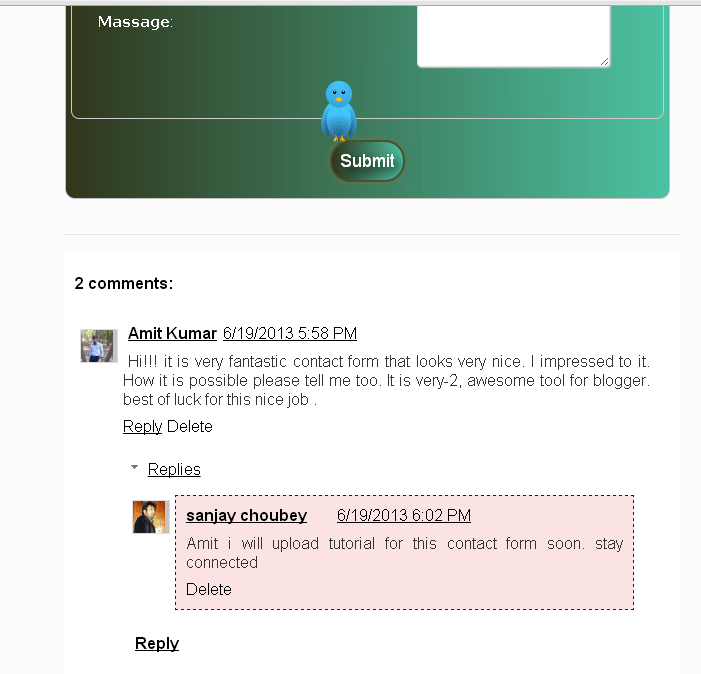
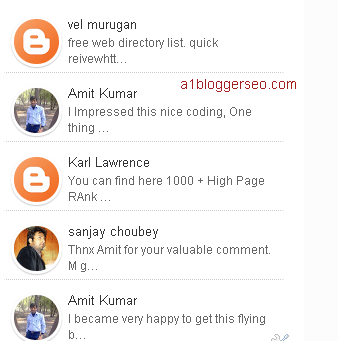
In todays Blogging world, Majority of Bloggers want to make there commenting system same as in word press, because this system is preferred by webmasters who can comment on your blog and also can place his links easily which is beneficial for both side.
Also read : Why we should make all external links no follow in Blogger
Blogger commentluv for Blogger
WordPress like commenting system in blogger
Follow these simple steps to enable wordpress  like commenting system in Blogger :
  • First of all Go to Blogger >>  Select your Blog >> Click on template >> Backup/Restore and then download your template. (Learn how to back up a Blogger template)
  • Go to Intense Debate
  • Create your profile or sign in with wordpress.
  • See in the top menu there is an option of sites for adding a site/blog. Click on that and add your website and go to the next step.
  • When you will choose Blogger as your platform from the option, there will be two options for either you want to install on your all posts or you wanna make changes for upcoming posts only.  If you don’t wish to keep your previous posts comments and wish a clean installation of IntenseDebate then only select the option of “On all blog posts” and if you would prefer to enable CommentLuv for your new (upcoming) posts only, then select “All new posts (Recommended)“

Note : Selecting option for all blog posts will remove all your previous comments. so i will suggest you to choose all new posts only.

  • -Now scroll below. You will see an option to upload your Blog’s xml template, Click on browse and upload the template which is download earlier by you.
  • When your template is uploaded, IntenseDebate will automatically override your blogger template’s code and will provide you the new code
  • Now copy the code and now go to Blogger>>template>>edit html. Now remove all the codes and paste the new code which you have copied as code was recently generated by IntenseDebate.
  • Click on save . You have installed intensedebate on your blog, now foloow these steps to enable commentluv.
  • Return to Intense Debate page from Blogger
  • Now click on Plugins and choose commentluv plugin and activate it. You can choose other plugins also if your website requires.
  • From the layout option you can select what options you want to show in comments layout.
All done..!!! If you have any issue kindly let me know in the comment box. Thank you for your valuable time. Have a great day.!!!

Filed Under: Blogger gadgets, Blogger tips, SEO

Free online Html Color Code Generator and Color Wheel

September 13, 2013 By Sanjay Choubey Leave a Comment

Hello every body, Html color codes are much needed for every it professional who works for website designing and development. I am sharing Html color code generator and color wheel both so that you can find any color code and vice versa.

Move cursor to colors for which you need color code :


Color Wheel For Choosing Matching Colors :

If you already have a Html color Hex value then simply input the code(without #) below and then after click on update.

If you donot have code, Then click on the wheel/color for which you want to know  and get some variations of that color.

Filed Under: Blogger tips, color code, SEO, wordpress tips Tagged With: Online html code generator

Download Google seo starter guide and understand search engine optimization

September 12, 2013 By Sanjay Choubey 1 Comment

We all are eager to know about search engine optimization tips. As every one is connected to internet and they want to improve there website/blog performances in search engine. Although there are many websites ad blogs are available for providing a1 class tips and tricks. you can read the important seo tips . But as we know that Google is the king of search engines and if it has been launched a seo guide we can’t ignore it untill we read it completely. Because it will help us to do basic seo recommended by google officials.

download seostarter guide by google
Google seo starter guide

Learn : How to disable right click in Blogger
It is necessary for a beginner to know the basics of seo. so that he/she can understand some tips and implement them on websites. Google has stated its seo guide lines in search engine optimization starter guide. It is a pdf guide and is explained in a very simple manner which will help you to drive traffic on your site by improving position in SERPs,  so i will recommend you to go for it. I believe it will give you benefit. Click on the below download link if you wanna download seo starter guide.

                    >> Download seo starter Guide<<

Filed Under: Blogger tips, download, SEO

  • « Previous Page
  • 1
  • …
  • 25
  • 26
  • 27
  • 28
  • 29
  • …
  • 36
  • Next Page »

Locations I Serve

Delhi | Noida | Gurugram | Ghaziabad | Faridabad | Chennai | Patna | Mumbai | Bangalore | Hyderabad | Kolkata | Pune | Jaipur | Lucknow | Chandigarh | Bhopal | Indore | Nagpur | Ahmedabad | Vadodara | Rajkot | Coimbatore | Kochi | Trivandrum | Ranchi | Bhubaneswar | Guwahati | Vishakhapatnam | Vijayawada | Mysore | Mangalore | Ludhiana | Amritsar | Jalandhar | Dehradun | Meerut | Kanpur | Varanasi | Prayagraj | Agra | Gwalior | Jabalpur | Raipur | Bilaspur | Durg-Bhilai | Jamshedpur | Dhanbad | Siliguri | Shimla | Srinagar | Jammu | Goa | Rishikesh | Greater Noida | Surat

Copyright @ Sanjay Choubey
WhatsApp Call Now