
Sanjay Choubey

  • Home
  • Services
    • SEO
    • PPC
    • SMO
    • SEO Niche
      • Education SEO
      • Dental SEO
  • SEO Packages
  • About
  • Blog
  • Results
  • Reviews
  • Contact

How to Find CommentLuv enabled Blogs for Backlinks

February 22, 2014 By Sanjay Choubey Leave a Comment

Easily find CommentLuv or KeywordLuv enabled Blogs.

Today I will share a tips for finding Particular keyword enabled blogs  for getting huge blog list for commenting. you can find your website’s categories enabled blogs like educational blog, Government blog, Keyword enabled blogs etc . You can also find dofollow or Commentluv enabled blogs. Blog commenting is the safest and most popular method among the bloggers for creating quality backlinks.
 Visit : Top Blogging Sites

KeywordLuv enabled blogs for commenting
Find Commentluv enabled blogs

How to Find CommentLuv / KeywordLuv enabled Blogs :

Finding large numbers of dofollow commentLuv enabled blogs are too easy with the help of two online tools DropMyLink.com and PutMyLink.com .
The way of working of both the tools are nearly same. you just need to click any one of them and then after just enter your keyword and select commentLuv premium blogs from the drop down menu and finally click on search.
You will find the list of Blogs as you wish to comment. so do commenting to these blogs and create useful backlinks for your site.

Filed Under: Blogger tips, SEO, sites list Tagged With: find commentluv enabled blog, find dofollow blogs

Add Unique Pop up Facebook page Like button at the Right Bottom of Blogger, WordPress or a Website.

January 28, 2014 By Sanjay Choubey Leave a Comment

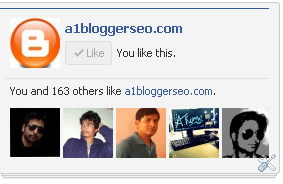
Hi All, earlier, i have already Posted some facebook Like Box for a website/Blog. Today I am sharing an another unique Facebook Like Box which will show in the Right bottom  section of a website. the widget when added to a blog or website, slightly move towards up when Visitor scrolls the page down.  This unique widget looks as shown in below figure.

Facebook Like Button in the right corner of a website
Facebook Like Button in the right corner of a blog

Demo

How to Add this Auto fb like box in  Blogger :

  • Go to Blogger dashboard
  • Click on Layout and select add a Html/javascript as a widget type
  • And paste the below code provided in it and then click on save.

How to Add this fb like box in  a Website :

paste the below provided code before the tag  </body> in any page of a website.

Know How to Add this fb like box in  WordPress

<script type=”text/javascript” src=”//supportivehandsjs.googlecode.com/files/fbslide.js”></script>
<script type=”text/javascript”>function r(f){/in/.test(document.readyState)?setTimeout(‘r(‘+f+’)’,9):f()}; r(function(){new ConversionsBox(“Like%20Us%20on%20FB”,”https://facebook.com/a1bloggerseo”);});</script>
Donot forget to change a1bloggerseo with your own facebook username. If you are facing any issue with the widget, Kindly let me know in the comment section.

Filed Under: Blogger widgets, facebook tips, social sites, website tips, wordpress tips Tagged With: auto fb like box

How to find Facebook Numeric Personal ID

January 23, 2014 By Sanjay Choubey Leave a Comment

Get your Facebook Numeric ID :

find-numeric-id-for-a-facebook-profile
Find ur Numeric-facebook-id
Facebook Numeric Id is required for integration of certain facebook social plugins. Unfortunately finding Numeric personal ID is little bit difficult and it becomes more difficult if you have customized profile url like mine is sanjaychoubey001 .   
if you have  a need to know your Fb Id, Kindly enter your username below and then click on get My facebook ID Code, you will be redirected to another page showing your required facebook details.
Read :  Know All Facebook Shortcuts


http://www.facebook.com/Copyright © 2014 All Rights Reserved by Sanjay Choubey @ 
A1 Blogger Seo


Filed Under: Blogger tips, SEO, social sites

Add Stlylish Custom Scroll Bar for Your Blogger In Any Color

January 16, 2014 By Sanjay Choubey Leave a Comment

Adding a Custom scroll bar in Blogger/blogspot blog increases the beauty of Theme. The scroll bar I am going to provide you the code which can be customized for any color. The code is fully CSS, so it will not effect overall loading time for a website.You can see the demo by clicking on the Demo button below.

DEMO

How to install Custom Scroll Bar in Blogger:

    • Login to Blogger
    • Select your Blog and click on template
    • Click on edit html and find ]]></b:skin>
    • Paste the below code before ]]></b:skin>. and then click on save.
 /* A Pro Custom scrollbar  from www.a1bloggerseo.com */
::-webkit-scrollbar{width:15px;background:rgba(0,0,0,.07);}
::-webkit-scrollbar-thumb{background:#f90;-webkit-border-radius:10px;-moz-border-radius:10px;-o-border-radius:10px;border-radius:10px;}
/* A ProCustom scrollbar  from www.a1bloggerseo.com */
  • Visit the Html colr codes and change te code #f90 with your preferable color.


Filed Under: Blogger gadgets, Blogger tips, Blogger widgets

Add awesome speech Bubble comment style in Blogger

January 9, 2014 By Sanjay Choubey Leave a Comment

Cool and Stylish Commenting system in Blogger :

Hello Readers, Today I want to share a tips for making your Blogger’s blog commenting system more attractive. Speech bubble commenting system is a beautiful thread comment style for Blogger.This is a fully css code and hence you donot need to worry about the blog’s speed it will be un effected. follow the following easy steps to set up this commenting system. you can see its look in the below figure or by clicking on the link Demo.

speech bubble comments style in blogger
Add stylish commenting system in Blogger

 DEMO
READ : Recent Comments Box widget in Blogger
How to add it on Blogger :
 
  • Login to Blogger
  • Select your blog and click on Template
  • Press ctrl+f and find ]]></b:skin>
  • Now just before/above  ]]></b:skin> paste te following code and then click on save.
/* Start Comment Style Code https://sanjaychoubey.com/ */
.comments{clear:both;margin-top:10px;margin-bottom:0;font-family:Arial;line-height:18px;font-size:13px}
.comments .comments-content{margin-bottom:16px;font-weight:normal;text-align:left}
.comments .comment .comment-actions a,.comments .comment .continue a{display:inline-block;margin:0 0 10px 10px;padding:0 15px;color:#424242 !important;text-

align:center;text-decoration:none;background:#fede72;border:1px solid #fec648;border-radius:2px;height:26px;line-height:28px;font-weight:normal;cursor:pointer}
.comments .comments-content .comment-thread ol{list-style-type:none;padding:0;text-align:none}
.comments .comments-content .inline-thread{padding:0}
.comments .comments-content .comment-thread{margin:8px 0}
.comments .comments-content .comment-thread:empty{display:none}
.comment-replies{margin-top:1em;margin-left:40px;background:#fff}
.comments .comments-content .comment{margin-bottom:0;padding-bottom:0}
.comments .comments-content .comment:first-child{padding-top:16px}
.comments .comments-content .comment:last-child{border-bottom:0;padding-bottom:0}
.comments .comments-content .comment-body{position:relative}
.comments .comments-content .user{font-style:normal;font-weight:normal}
.comments .comments-content .user a{color:#0E6284;font-weight:normal;text-decoration:none}
.comments .comments-content .icon.blog-author{width:18px;height:18px;display:inline-block;margin:0 0 -4px 6px}
.comments .comments-content .datetime a{color:#0E6284;font-size:12px;float:right;text-decoration:none}
.comment-content{margin:0 0 8px;padding:0 5px}
.comment-header{font-size:18px;background-color:#f1f1f1;border-bottom:1px solid #e3e3e3;padding:5px}
.comments .comments-content .owner-actions{position:absolute;right:0;top:0}
.comments .comments-replybox{border:none;height:230px;width:100%}
.comments .comment-replybox-thread{margin-top:0}
.comments .comment-replybox-single{margin-top:5px;margin-left:48px}
.comments .comments-content .loadmore a{display:block;padding:10px 16px;text-align:center}
.comments .thread-toggle{cursor:pointer;display:inline-block}
.comments .comments-content .loadmore{cursor:pointer;max-height:3em;margin-top:0}
.comments .comments-content .loadmore.loaded{max-height:0;opacity:0;overflow:hidden}
.comments .thread-chrome.thread-collapsed{display:none}
.comments .thread-toggle{display:inline-block}
.comments .thread-toggle .thread-arrow{display:inline-block;height:6px;width:7px;overflow:visible;margin:0.3em;padding-right:4px}
.comments .thread-expanded .thread-arrow{background:url(“data:image/png;base64,iVBORw0KGgoAAAANSUhEUgAAAAc

AAAAHCAYAAADEUlfTAAAAG0lEQVR42mNgwAfKy8v/48I4FeA0AacVDFQBAP9wJkE/KhUMAAAAAElFTkSuQmCC”) no-repeat scroll 0 0 transparent}
.comments .thread-collapsed .thread-arrow{background:url(“data:image/png;base64,iVBORw0KGgoAAAANSUhEUgAAA

AcAAAAHCAYAAADEUlfTAAAAJUlEQVR42mNgAILy8vL/DLgASBKnApgkVgXIkhgKiNKJ005s4gDLbCZBiSxfygAAAAB JRU5ErkJggg==”) no-repeat scroll 0 0 transparent}
.avatar-image-container{background:url(https://lh5.googleusercontent.com/-Wmy6bwNKzbo/T0miLZkuJsI/AAAAAAAAChc/orbwMGHyBxA/s51/arrow.png) top right no-

repeat;float:left;vertical-align:middle;overflow:hidden;width:65px !important;height:51px !important;max-width:65px !important;max-height:51px !important}
.comments .avatar-image-container img{padding:2px;border:1px solid #ccc;width:45px !important;height:45px !important;max-width:45px !important;max-height:45px !

important}
.comments .comment-block{margin-left:65px;position:relative;border:5px solid #e3e3e3;border-radius:8px}
@media screen and (max-device-width:480px){.comments .comments-content .comment-replies{margin-left:0}}
/* End Comment Style Code https://sanjaychoubey.com/ */


Filed Under: Blogger gadgets, Blogger tips, Blogger widgets Tagged With: speech bubble comment Blogger

  • « Previous Page
  • 1
  • …
  • 22
  • 23
  • 24
  • 25
  • 26
  • …
  • 36
  • Next Page »

Locations I Serve

Delhi | Noida | Gurugram | Ghaziabad | Faridabad | Chennai | Patna | Mumbai | Bangalore | Hyderabad | Kolkata | Pune | Jaipur | Lucknow | Chandigarh | Bhopal | Indore | Nagpur | Ahmedabad | Vadodara | Rajkot | Coimbatore | Kochi | Trivandrum | Ranchi | Bhubaneswar | Guwahati | Vishakhapatnam | Vijayawada | Mysore | Mangalore | Ludhiana | Amritsar | Jalandhar | Dehradun | Meerut | Kanpur | Varanasi | Prayagraj | Agra | Gwalior | Jabalpur | Raipur | Bilaspur | Durg-Bhilai | Jamshedpur | Dhanbad | Siliguri | Shimla | Srinagar | Jammu | Goa | Rishikesh | Greater Noida | Surat

Copyright @ Sanjay Choubey
WhatsApp Call Now